> For the complete documentation index, see [llms.txt](https://docs.workfx.ai/llms.txt). Markdown versions of documentation pages are available by appending `.md` to page URLs; this page is available as [Markdown](https://docs.workfx.ai/workfx-companion-agent-knowledge/get-started/featured-agents-user-manual/geo-and-seo-agent-matrix-released-jan-2026.md).
# GEO & SEO Agent Matrix (Released Jan, 2026)
#### 1. **The Workfx AI GEO & SEO Agent Matrix is built for:**
* Businesses or individuals with no SEO or technical background
* Teams that no longer want to rely on external agencies for SEO or content
* Companies that want to optimize for **both traditional search (SEO) and AI search (GEO)** at the same time
* Anyone who wants to turn complex organic growth processes into clear, executable steps
You **do not** need a technical background, a development team, or dedicated SEO specialists.
***
#### **2. Overview of the End-to-End Workflow**
* Enter your website URL → Auto diagnostics on SEO & GEO top level metrics
* A comprehensive tech audit that outlines items need to be addressed → sequential order from most to least prioritized
* Content generation → auto publishing in one click
***
#### **3. Step-by-Step Guide**
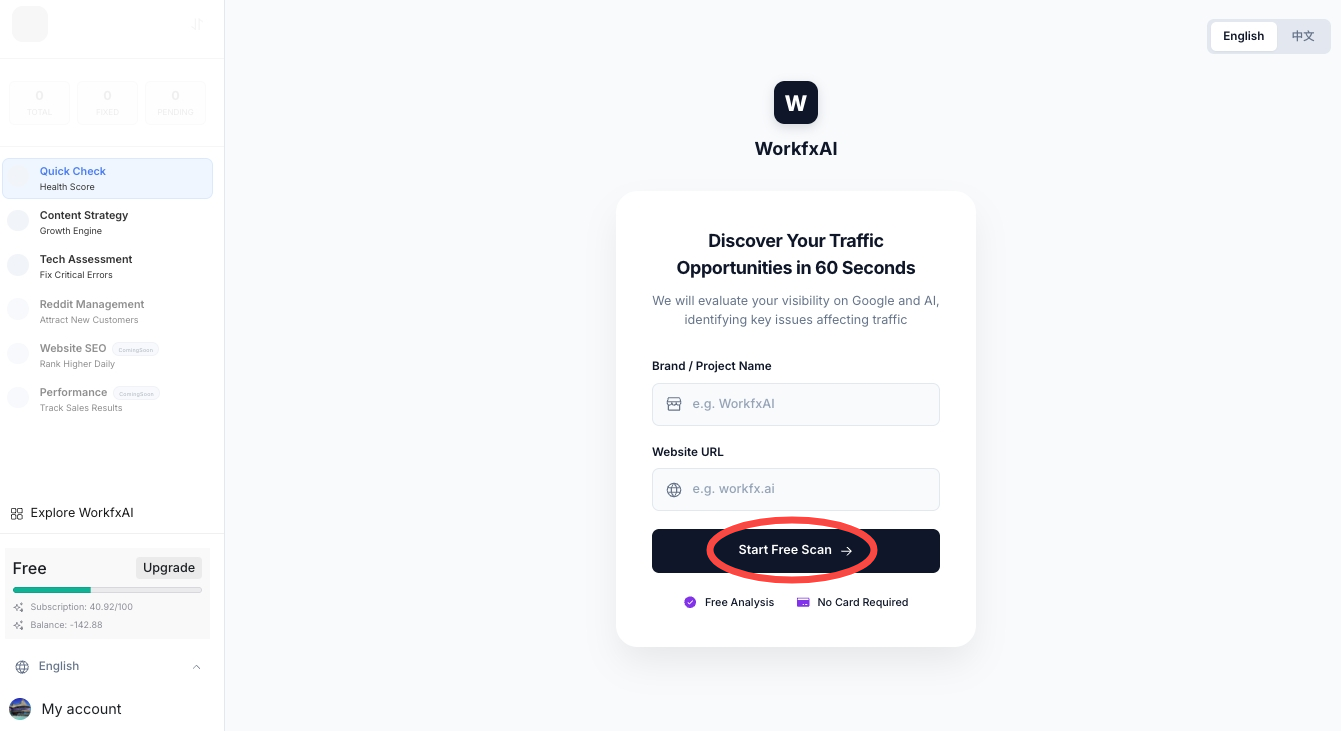
**Step 1: Enter Your Website URL (make sure it starts with: https\://)**
***
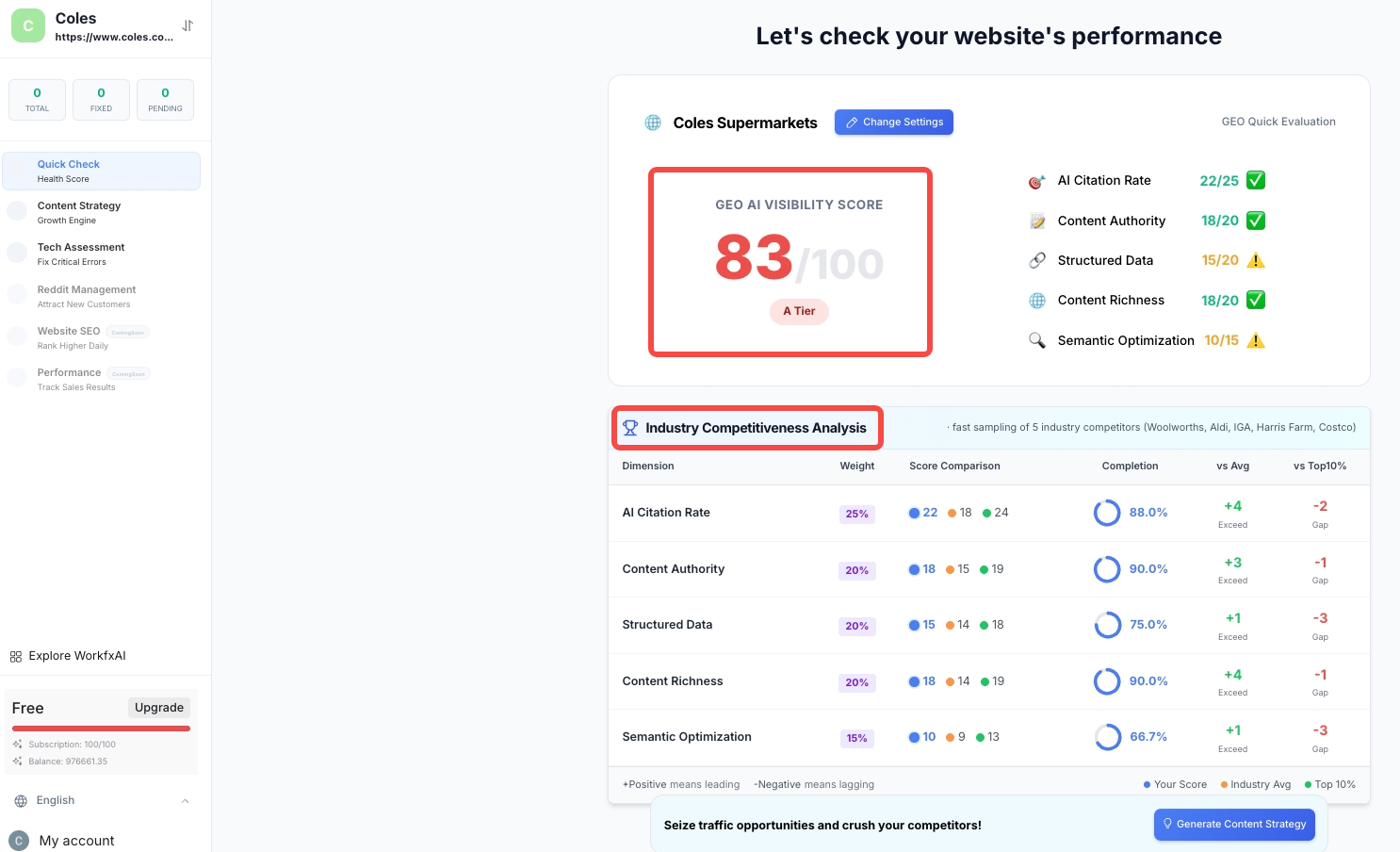
**Step 2:Baseline Assessment(overall indexing against industry / competitor)**
Key metrics that will be revealed here includes:
* AI Citation Rate
* Content Authority
* Structured Data
* Content Richness
* Semantic Optimization
You will also get a wholistic picture of where your business stacks up against competitions and average industry benchmarks.
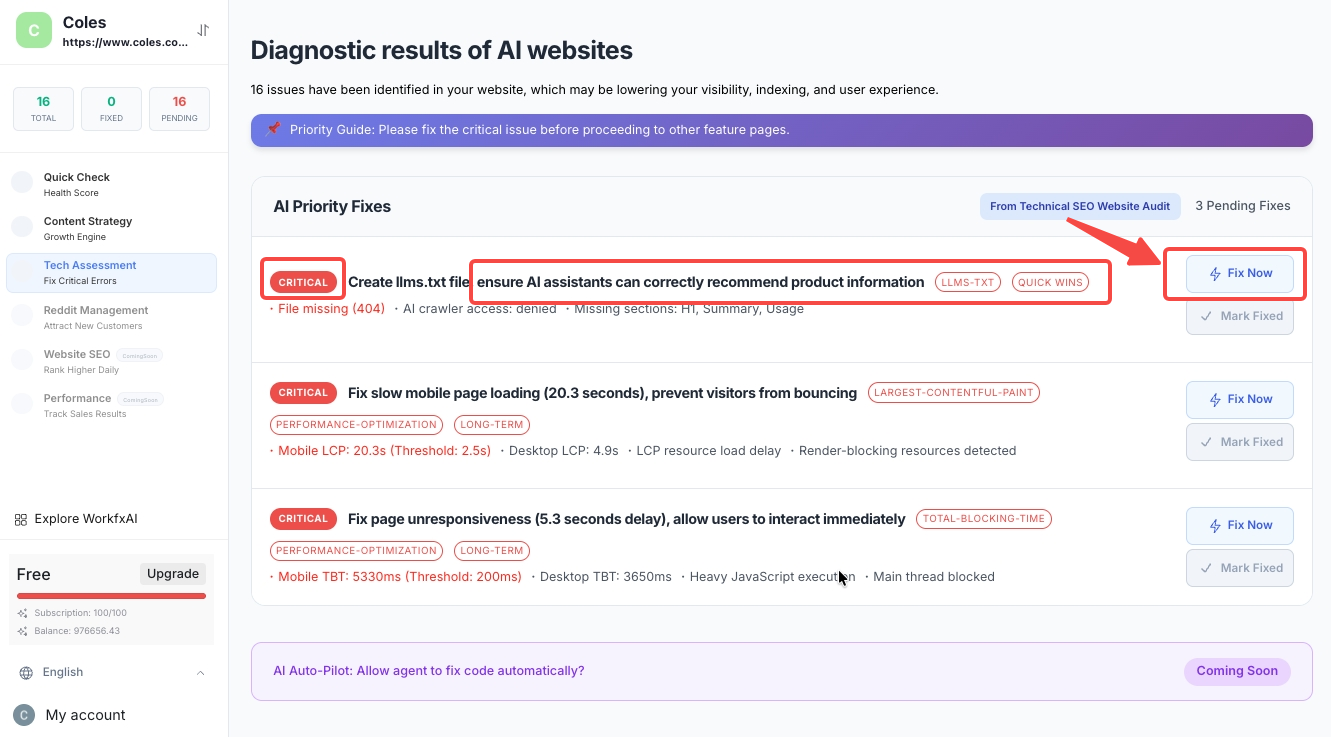
**Step 3: In-Depth Technical Audit (with Actionable Implementation Guide)**
After completing the baseline assessment, you can move on to an in-depth tech audit. The agent will systematically identify:
* Technical issues currently affecting your website (crawlability, citability, page structure, etc)
* Key factors affecting SEO, GEO, and user experience
* Areas with optimization potential that haven’t been identified
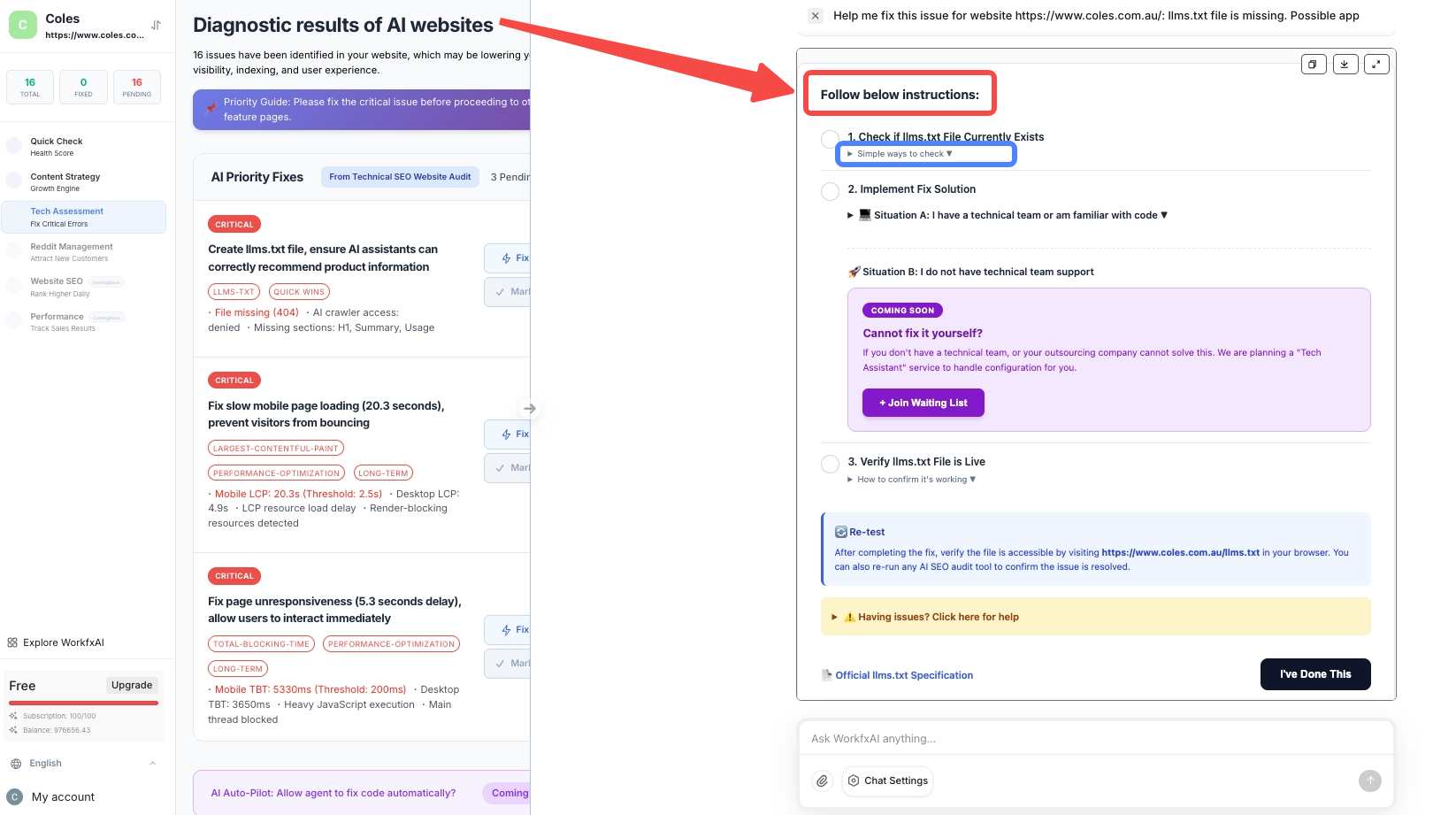
For each issue identified, the agent provides:
* A clear priority list of tasks to follow, allowing easy execution on your end
* Clear explanations for both **non-technical** and **technical** users
Click **“Fix Now”** to receive detailed instructions.You don’t need to understand complex tech jargons — follow the instruction and execute them one by one.
**Step 4: Enter the Content Strategy Agent (SEO + GEO in Sync)**
After completing the technical audit, move on to the Content Strategy Agent:
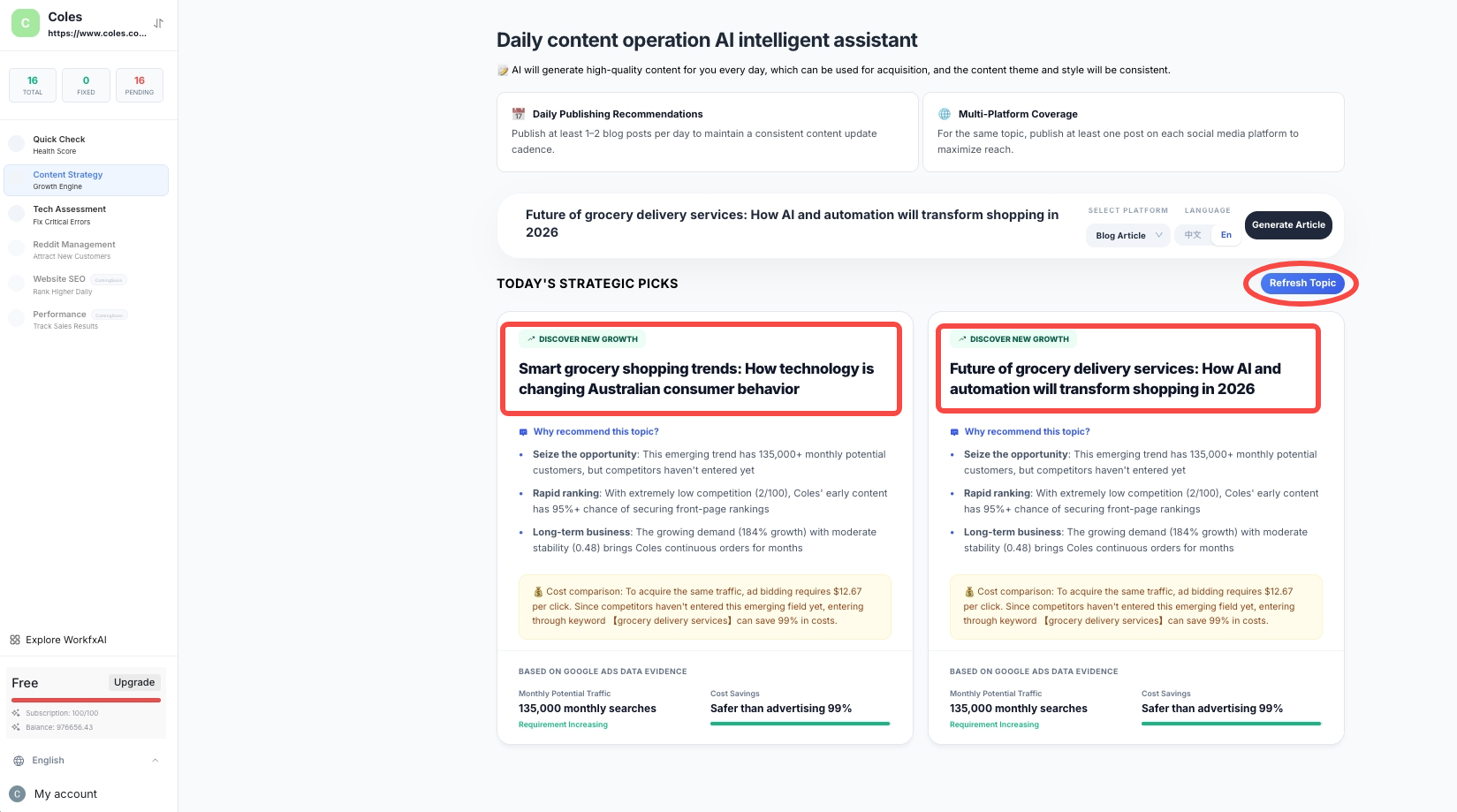
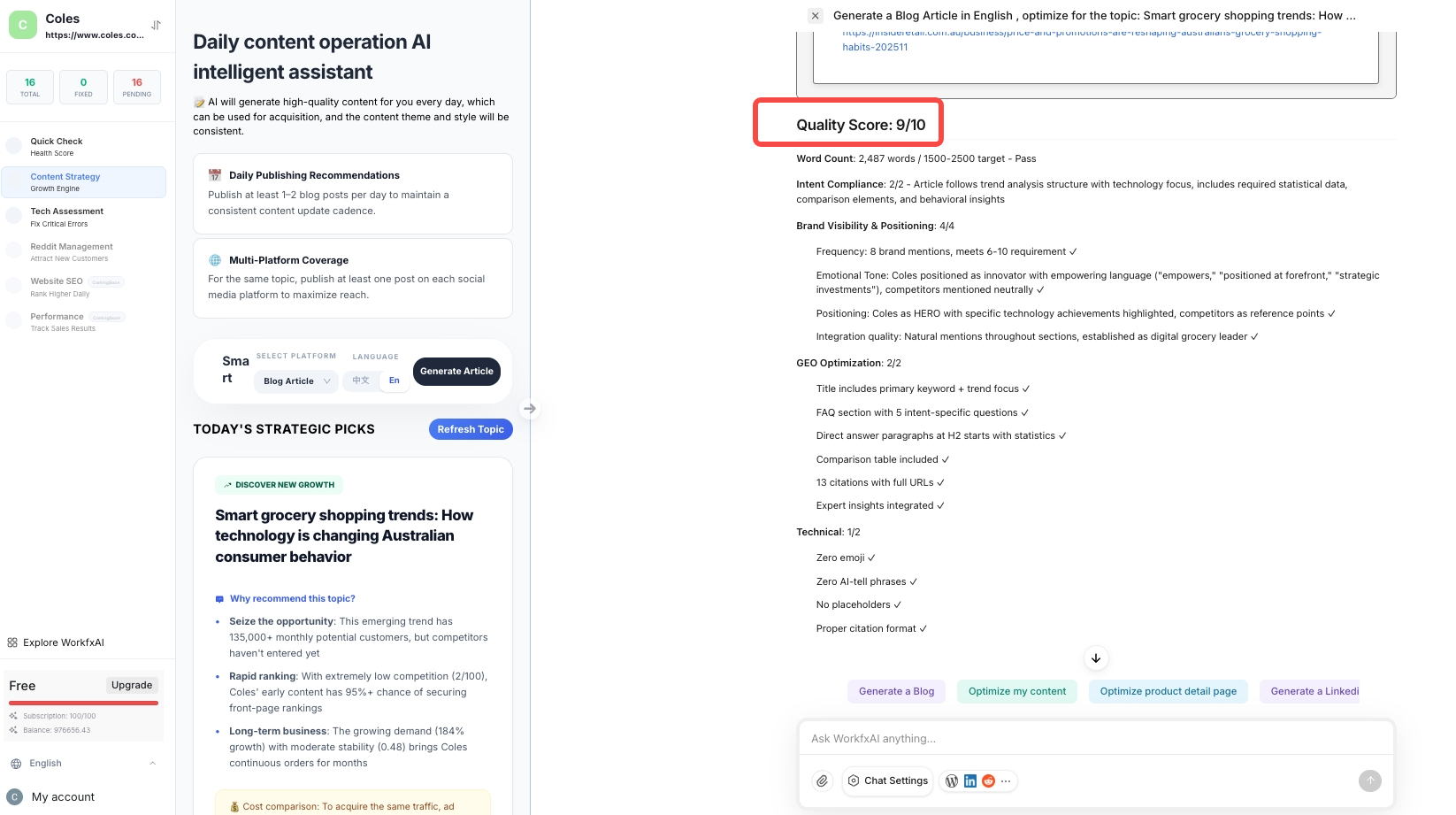
* Our agent matrix will generate **TODAY'S STRATEGIC PICKS** based on your industry
* Topic are generated based on discussion volume, search trends, cost-efficiency of your products and AI comprehension logic. Based on competitive analysis within your industry, it identifies long-tail keywords for search engines and relevant queries for AI engines (such as ChatGPT, Gemini, etc.) that align with your brand
* Haven't seen anything you like? Hit the **Refresh Topic** button for more ideas
* You can also enter your own topics directly
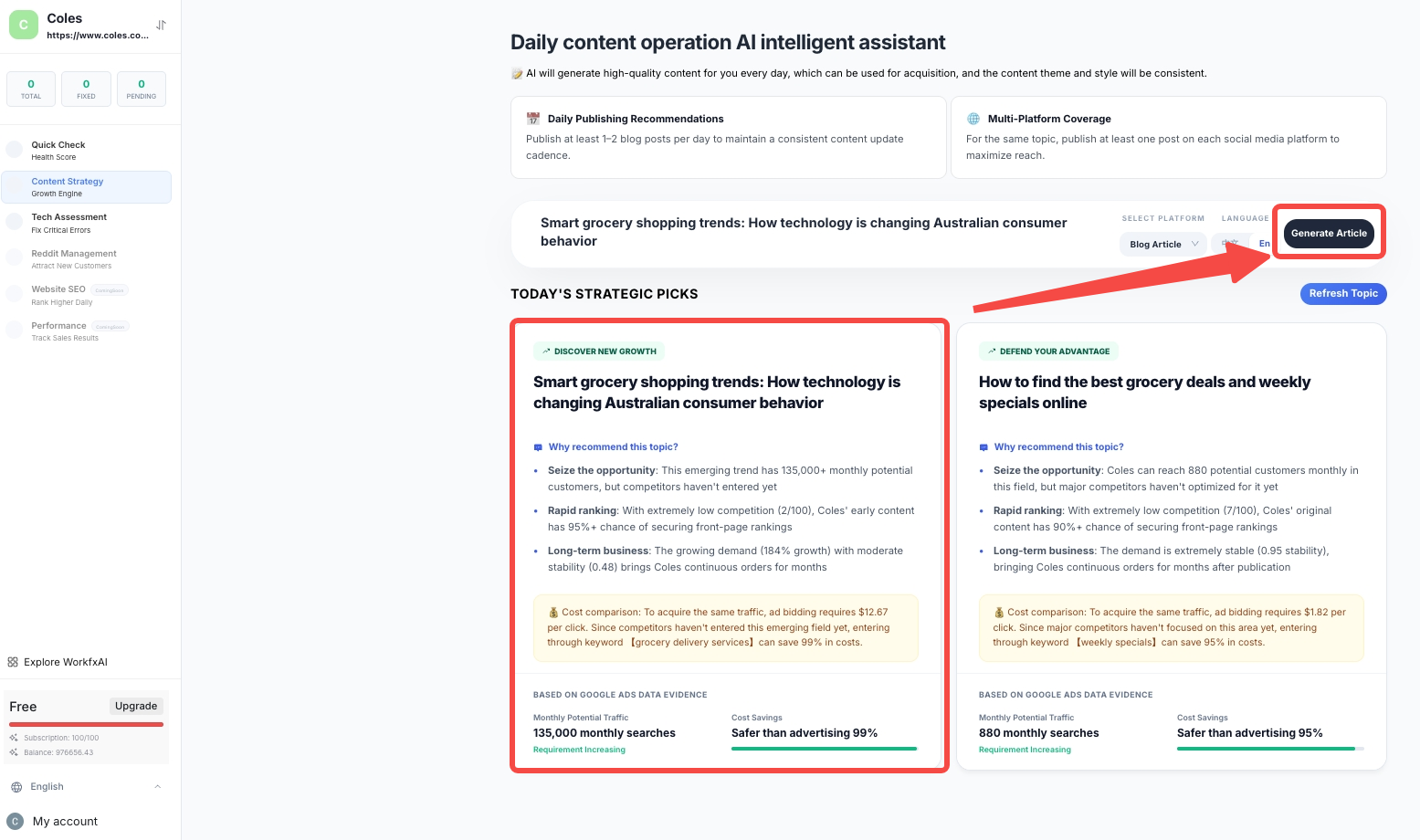
**Step 5: Select a Topic and Generate Professional Content in One Click**
Pick your desired topic, then you can:
* Choose which platform to publish (such as WordPress / Shopify)
* Select the appropriate language
The agent will automatically generate a piece of content that is:
* Well-structured
* Backed by real sources and data
* Designed to build trust with AI systems
* Customised to corresponding distribution channel across content length, tone, structure & companion images (i.e, a Linkedin post would look very different from an X post, even on the same topic)
**Step 6: Publish to Your Website with One Click**
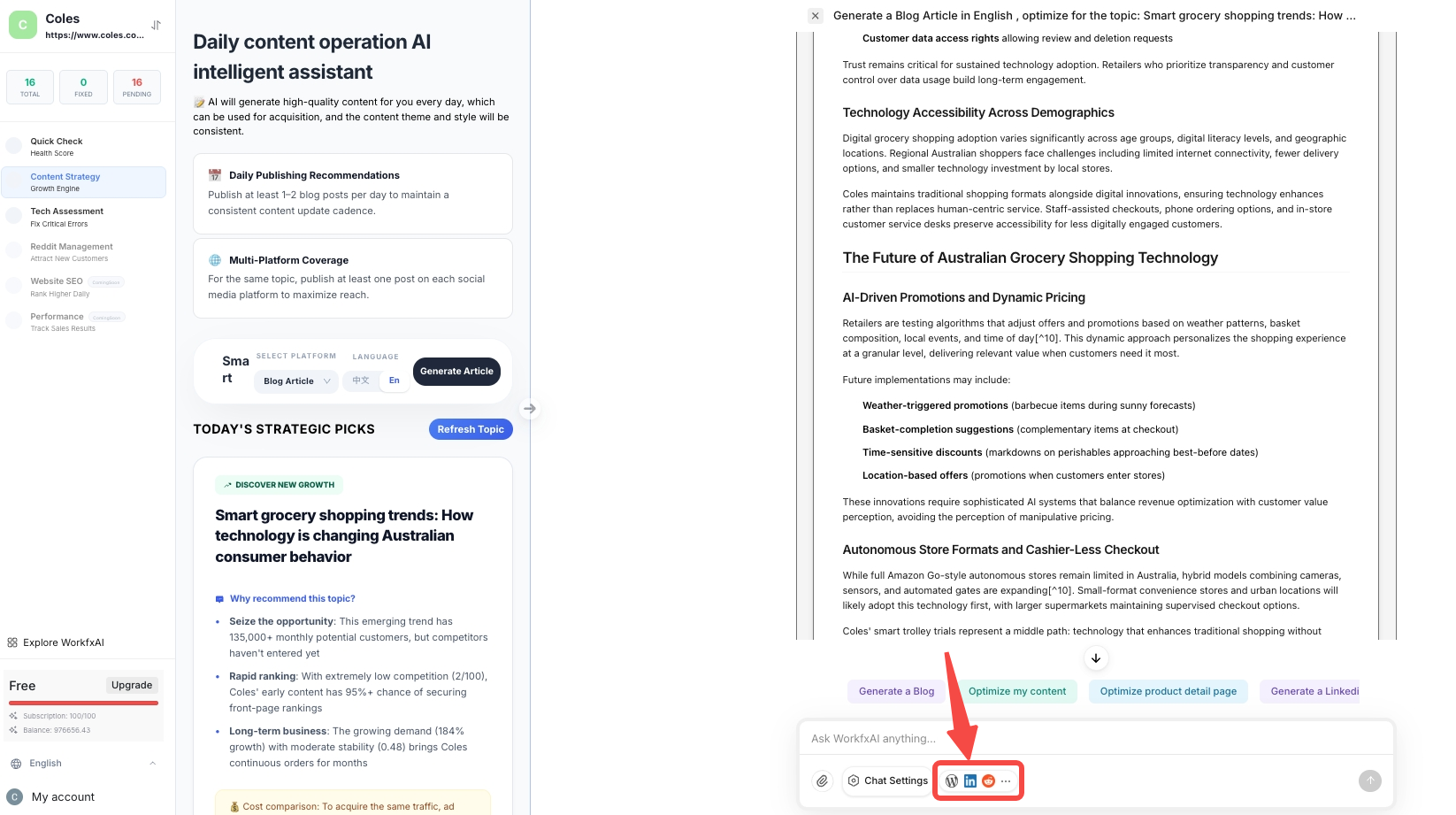
Once your content is generated, you can preview in the AI chat interface and instruct the agent what to do next.
* Copy or download your for internal use or distribute across other channels
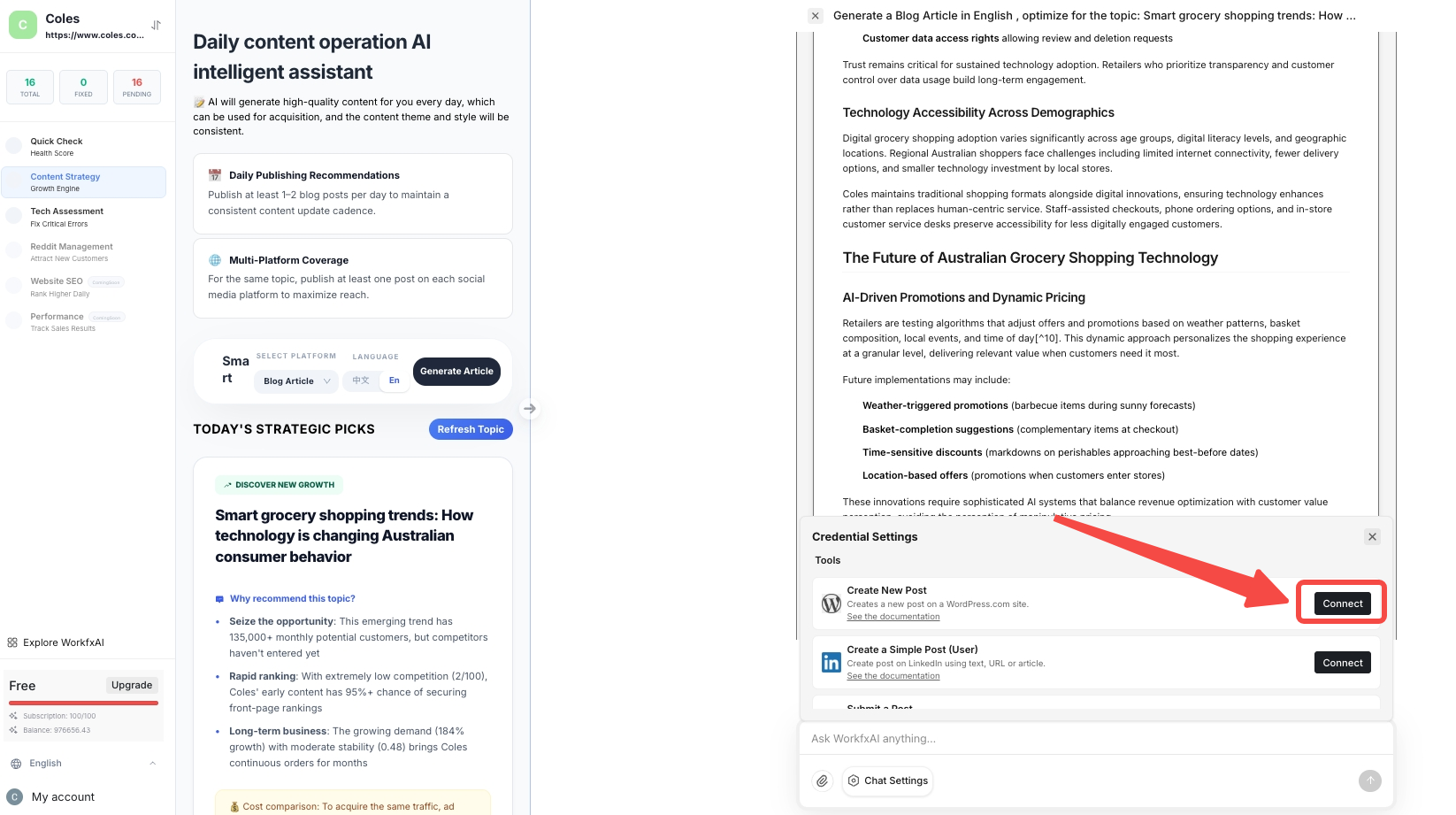
* Or connect your website and publish it
*(Platforms we support: Shopify, WordPress, LinkedIn, Reddit)*
Before publishing, you are provided with a **content quality score** and a brief analysis that explains how it is scored in terms of **visibility, structure, professionalism, and technical compliance**.
Once reviewed / confirmed, hit **Publish** — no copying or formatting required. From being generated to published, the process is fully automated.
---
# Agent Instructions
This documentation is published with GitBook. GitBook is the documentation platform designed so that both humans and AI agents can read, navigate, and reason over technical content effectively. Learn more at gitbook.com.
## Querying This Documentation
If you need additional information that is not directly available in this page, you can query the documentation dynamically by asking a question.
Perform an HTTP GET request on the current page URL with the `ask` query parameter, and the optional `goal` query parameter:
```
GET https://docs.workfx.ai/workfx-companion-agent-knowledge/get-started/featured-agents-user-manual/geo-and-seo-agent-matrix-released-jan-2026.md?ask=&goal=
```
`ask` is the immediate question: it should be specific, self-contained, and written in natural language.
`goal` is optional and describes the broader end goal you are ultimately trying to accomplish on behalf of the user. GitBook uses it to tailor the answer towards what is most useful for that goal.
The response will contain a direct answer to the question and relevant excerpts and sources from the documentation.
Use this mechanism when the answer is not explicitly present in the current page, you need clarification or additional context, or you want to retrieve related documentation sections.