> For the complete documentation index, see [llms.txt](https://docs.workfx.ai/llms.txt). Markdown versions of documentation pages are available by appending `.md` to page URLs; this page is available as [Markdown](https://docs.workfx.ai/workfx-1.1.x-english/search-agent.md).
# Search Agent
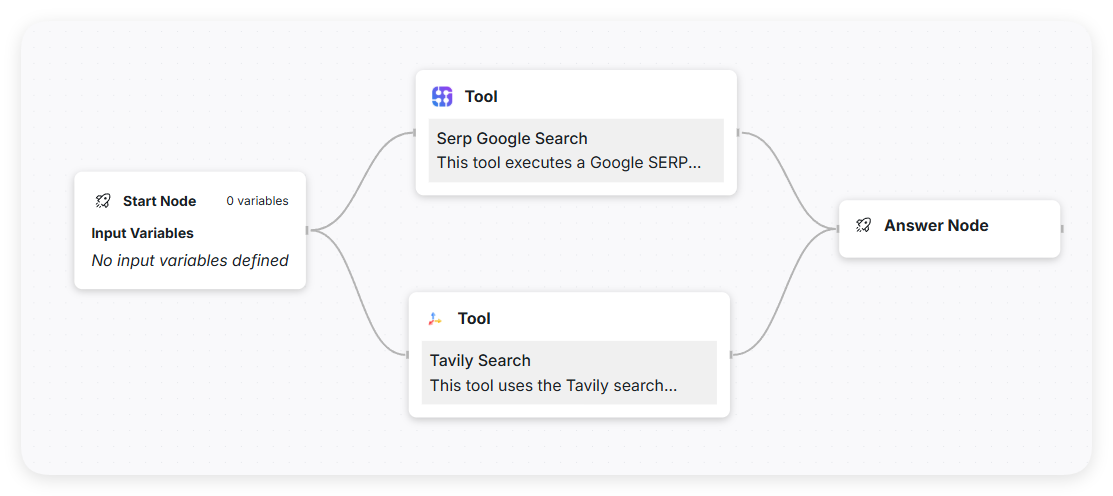
In this section, we will create a Search Agent Flow with the goal of encapsulating and automating search operations. This agent can integrate multiple built-in tools such as:
* Serp Google Search
* Tavily Search
* Wikipedia Search
By leveraging these tools, the Search Agent can automatically perform web searches based on user input and return structured results for downstream use or display.\
We will demonstrate this using both a **flow-based agent** and an **instruction-based agent**, allowing you to understand and compare their differences in structure and behavior.
## Implementation Method for Flow-based Agent
### Overview of Flow Structure
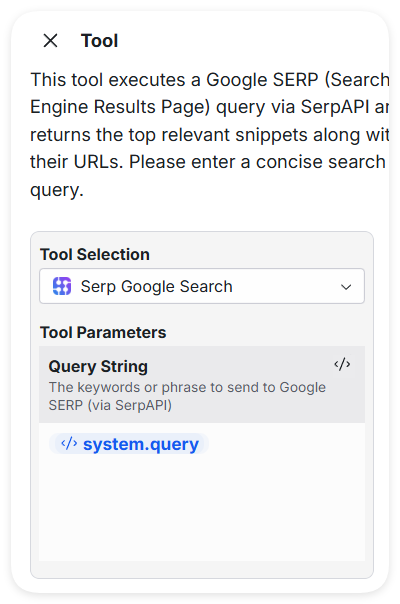
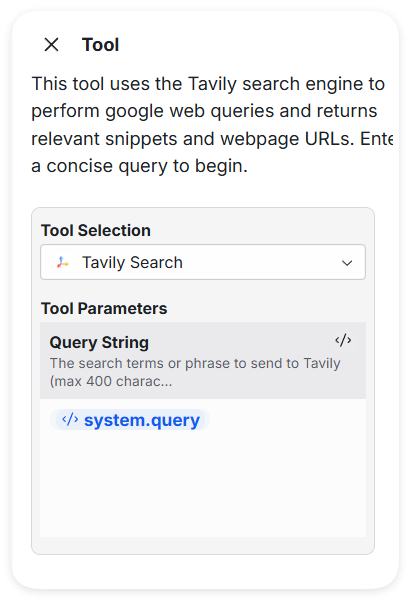
### Tool Node
{% columns %}
{% column %}
{% endcolumn %}
{% column %}
{% endcolumn %}
{% endcolumns %}
Both built-in tools—Serp Google Search and Tavily Search—only require the user's input `query` to be passed in directly, without any additional processing or variable transformation.
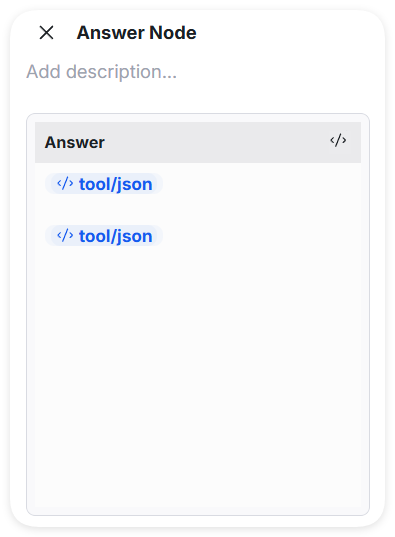
### Answer Node
The End Node receives results from both the Serp and Tavily search tools and combines them into a single unified output for the user.
## Implementation Method for Instruction-based Agent
Since search-related tools are relatively simple to use, an **Instruction-based Agent** can be employed. This agent is capable of autonomously selecting the appropriate search tool to retrieve relevant information and further processing the results before generating an output.
### Prompt
```
You will be given a user query.
Your task is to call both the Serp Google Search tool and the Tavily Search tool using this query as input.
Once both tools return results, summarize and consolidate the key information from both sources into a single, cohesive summary.
⚠️ Do NOT directly answer the user's question. Just provide a merged and well-organized summary of the retrieved information.
User Query: {{user_query}}
```
You can freely customize the prompt based on your specific needs to guide the agent in performing desired tasks or generating targeted outputs.
### Tools
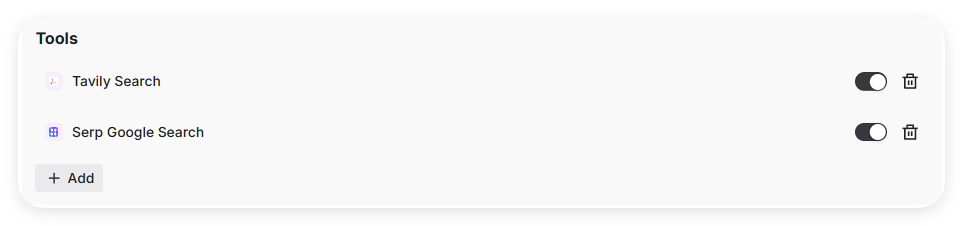
Add both **Serp Google Search** and **Tavily Search** tools separately, and make sure they are enabled.
---
# Agent Instructions
This documentation is published with GitBook. GitBook is the documentation platform designed so that both humans and AI agents can read, navigate, and reason over technical content effectively. Learn more at gitbook.com.
## Querying This Documentation
If you need additional information that is not directly available in this page, you can query the documentation dynamically by asking a question.
Perform an HTTP GET request on the current page URL with the `ask` query parameter, and the optional `goal` query parameter:
```
GET https://docs.workfx.ai/workfx-1.1.x-english/search-agent.md?ask=&goal=
```
`ask` is the immediate question: it should be specific, self-contained, and written in natural language.
`goal` is optional and describes the broader end goal you are ultimately trying to accomplish on behalf of the user. GitBook uses it to tailor the answer towards what is most useful for that goal.
The response will contain a direct answer to the question and relevant excerpts and sources from the documentation.
Use this mechanism when the answer is not explicitly present in the current page, you need clarification or additional context, or you want to retrieve related documentation sections.